
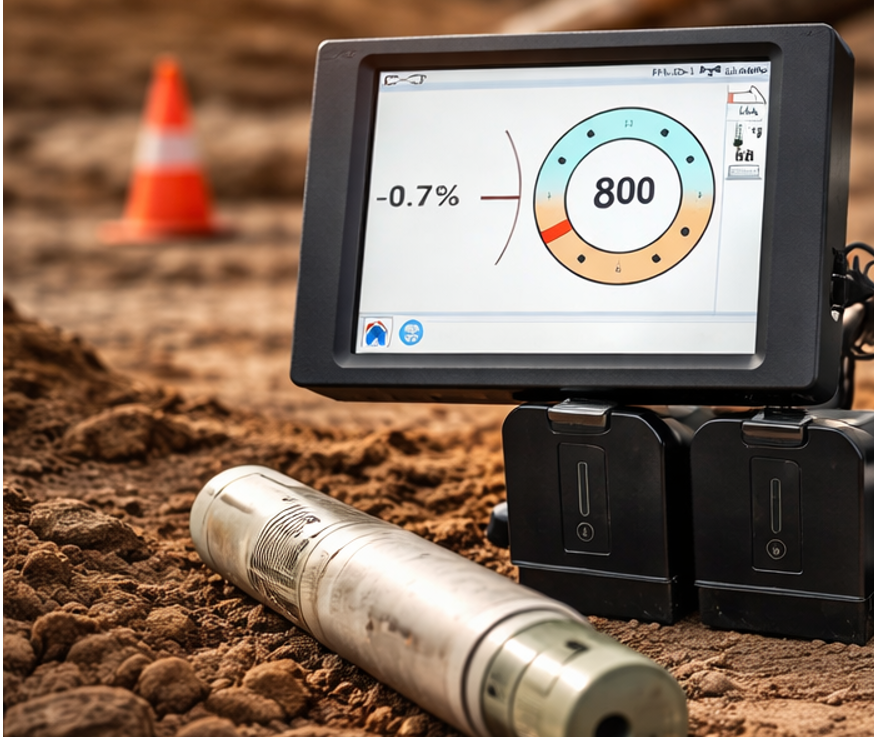
HDD locating gets harder when the jobsite is noisy. Falcon F5 addresses that problem by letting you work across 4.5–45 kHz using nine frequency bands instead of a single fixed transmit frequency. DCI’s stated conclusion is clear: choosing a transmitter frequency that avoids interference is more effective than simply increasing power.
In this guide, “band choice” means choosing a frequency range that stays quiet on your specific site. You use the Falcon Frequency Optimizer to scan interference and select the best band (or two bands) for the planned bore path.
The goal is practical: reduce interference-driven problems by selecting bands based on what the receiver measures at the jobsite.
What “4.5–45 kHz” means on Falcon F5 (and why bands exist)
Falcon F5 is designed around interference. DCI describes interference as a major obstacle to productivity and completion time, and the Falcon approach is to avoid it by selecting an effective frequency range. Instead of committing you to one transmit frequency, Falcon works across 4.5–45 kHz and divides that range into nine bands.
A key detail: the band numbers you see on Falcon (7, 11, 16, and so on) are labels. DCI states that the band number represents the approximate middle kHz frequency of the band. In other words, you are choosing a window of frequencies, not a single exact frequency.
Falcon’s Frequency Optimizer supports that approach by scanning jobsite noise across the full 4.5–45 kHz range and showing which bands are quiet and which are noisy. You use that scan to pick the band that “fits” your site and path.
This matters because interference is not uniform. What works at the entry may not work at a road crossing, near utility corridors, or near electrical sources. Falcon’s system gives you a structured way to measure interference first, then choose bands based on what the jobsite shows you.
Active vs. passive interference: what bands can solve (and what they can’t)
DCI separates interference into active interference and passive interference, and that distinction tells you what band choice can realistically fix.
If you want to see the current list of used DigiTrak Falcon F5 and F5+ locating equipment on UCG HDD, see what’s available.
Active interference is electrical/background noise that is already present in the environment. DCI lists sources such as power lines, traffic signal loops, cathodic protection, and communications systems. This is the kind of noise the Frequency Optimizer is designed to detect so you can choose a band that avoids it.
Passive interference is different. DCI describes passive interference as things like metal, rebar, saltwater or conductive earth, and vehicles—objects and conditions that can distort or block signals and affect readings. DCI also states that receivers cannot “test for” passive interference the same way they can measure active interference.
So keep expectations straight: band choice is a primary tool for managing active interference. It can help you work around site noise, but it does not turn a difficult environment into a simple one. Falcon’s own documentation draws that line by defining what the receiver can and can’t measure.
The 9 Falcon F5 frequency bands (with kHz ranges)
Falcon F5 divides 4.5–45 kHz into nine bands. DCI provides the ranges below and notes that each band’s number is the approximate mid-frequency label.
| Falcon Band | Range (kHz) |
| 7 | 4.5–9.0 |
| 11 | 9.0–13.5 |
| 16 | 13.5–18 |
| 20 | 18–22.5 |
| 25 | 22.5–27 |
| 29 | 27–31.5 |
| 34 | 31.5–36 |
| 38 | 36–40.5 |
| 43 | 40.5–45 |
How to choose the right band on a real jobsite (Frequency Optimizer workflow)
Falcon’s Frequency Optimizer is meant to be used before you drill. The system scans jobsite noise across 4.5–45 kHz and reports noise levels by band so you can identify the quietest options.
DCI’s manual describes a disciplined workflow:
- Run Frequency Optimizer with the transmitter off.
- Walk the intended bore path and watch the noise levels across bands.
- Choose the band (or bands) that stay consistently low.
- Assign a selected band as Up or Down so the transmitter powers up in the band tied to its orientation.
- Re-run optimization in other areas as needed when the jobsite conditions change.
This process matters because it anchors the decision to measured interference instead of habit. If you only test at the entry, you only learn about the entry. DCI’s guidance to walk the intended path helps you see whether a band stays quiet where you will actually drill.
The spec materials support the same idea: Falcon evaluates the wideband environment and helps you choose the best band for the jobsite.
Why you should plan for two bands (and when to re-optimize mid-bore)
DCI notes that interference can vary across a jobsite and even by time of day. That’s why the Falcon workflow supports selecting a band that works for most of the bore and a second band for a higher-interference segment.
The manual describes optimizing one band for most of the bore, then optimizing again at another location—especially if you know a segment is likely to be noisy—and choosing a second band. That second band can be assigned and used when you move into the problem area.
Falcon’s spec sheet also supports switching between paired bands during the bore. This matters because you do not need one “perfect” band that works everywhere. You need a plan that accounts for changing conditions.
If the site conditions shift—different corridor, different electrical environment, or changing noise—you can re-optimize and adjust. DCI explicitly presents optimization as something you can do at different locations, not a one-time step.
Low bands vs. high bands: the real performance tradeoffs (signal strength vs interference)
DCI provides clear guidance on how band choice affects performance. In the Falcon F5 manual, DCI states:
- Low bands have more signal strength and “may have longer Target Steering capability.”
- High bands have slightly less signal strength but “tend to offer better performance around active interference such as power lines.”
That is the core tradeoff you need to communicate. If your jobsite has low electrical noise, the signal strength advantage of a lower band may be useful. If your jobsite includes strong active interference, a higher band may provide better performance even if it gives up some signal strength. DCI ties the high-band advantage specifically to active interference such as power lines.
This connects directly to DCI’s design conclusion that avoiding interference is often more effective than increasing power. Band selection is the tool that puts that conclusion into the operator’s hands.
You do not need to guess which band is “best” in the abstract. Falcon is designed to help you measure jobsite noise and choose accordingly. When the jobsite is quiet, strength can matter. When the jobsite is loud, interference avoidance can matter more. DCI’s documentation supports that decision framework without promising a one-size-fits-all band.
What “frequency tradeoffs” look like in locating (supporting context from other manufacturers)
The broader locating industry describes similar frequency tradeoffs. Radiodetection states there is no single best frequency, and explains that a single-frequency compromise is often “high enough” to work but not so high that it couples too easily into unwanted lines.
Rycom’s STICK v3 manual also describes tradeoffs. It states that high frequencies can jump insulated joints/bonds/faults, and warns that higher frequencies may induce or “bleed off” onto non-target conductors. It further notes that 8 kHz is less likely to couple to adjacent conductors.
A pipeline locating presentation posted on a regulator site summarizes similar behavior: high frequency is more likely to bleed off, has shorter distance, can jump insulated joints, and will couple to adjacent lines.
These sources do not describe Falcon directly. They support the broader idea that frequency choice affects behavior around coupling and interference. That aligns with Falcon’s wideband approach: measure noise, then select a frequency range that behaves better on that site.
Common interference scenarios and which direction to try first
Start with DCI’s definitions. If your issue is active interference—electrical/background noise—band choice is your primary lever. DCI lists sources of active interference such as power lines, traffic signal loops, cathodic protection, and communications systems.
The practical first move is to use Frequency Optimizer with the transmitter off, then walk the intended path and look for a band that stays consistently quiet. DCI’s workflow is built around that sequence.
If your issue is passive interference—metal, rebar, conductive earth, vehicles—use DCI’s warning as your boundary: receivers can’t “test for” passive interference the same way they can measure active interference. You may still find a quieter band, but passive conditions can still distort or block signals.
This is where planning for two bands helps. DCI presents optimization as something you can do at different locations, and the system supports selecting a second band for a segment that shows higher interference. That keeps the response practical: measure, choose, and be ready to switch when the environment changes.
Power lines and electrical noise: why higher bands may help (even with less strength)
DCI gives direct guidance on power-line environments. The Falcon F5 manual states that high bands have slightly less signal strength but tend to offer better performance around active interference such as power lines.
That statement is useful because it explains the “why” behind what crews see in the field. You may have a strong signal on a low band, but if the noise floor is high, the system has to work harder to separate signal from interference. DCI’s approach is to choose a band that behaves better around the interference source instead of assuming strength alone will solve it.
This is also a good use case for paired bands. DCI’s documentation supports optimizing one band for most of the bore and another for the high-interference segment. The Falcon spec sheet also supports switching between paired bands during the bore.
The takeaway is simple: when active interference is the limiting factor, try bands that the system indicates are quieter, and consider a higher band if power-line noise is driving the problem.
FAQs: simple answers crews ask about Falcon bands
Should we just pick the lowest band for more strength?
DCI states that low bands have more signal strength and “may have longer Target Steering capability.” That makes low bands attractive. But DCI also states that avoiding interference can be more effective than increasing power, and Falcon’s Frequency Optimizer exists to help you choose bands that avoid jobsite noise.
So the safest process is not “always pick low.” It is: run Frequency Optimizer with the transmitter off, walk the intended path, and choose the band that stays consistently quiet. That keeps your decision tied to measured interference rather than a default setting.
When the environment is quiet, signal strength may be the deciding factor. When the environment is noisy, band choice becomes a way to protect performance by avoiding interference. DCI’s documentation supports that framework without claiming that any one band is always best.
When do we switch bands, and why does Falcon support two?
DCI notes that interference varies across a jobsite and can change with time of day. That’s why Falcon supports optimizing bands at different locations and selecting a second band for a segment that shows higher interference.
The Falcon F5 spec sheet supports switching between paired bands. That capability matters because it lets you adapt to changing interference conditions along the bore without relying on a single band to do everything.
The clean operational answer is: switch when the site changes and the selected band stops performing well. DCI’s manual supports re-optimizing at different locations and using the results to select the best band(s) for each segment.
Bottom line: band choice is how you manage interference
Falcon F5’s band system is designed to help you work around jobsite interference:
- Falcon F5 operates across 5–45 kHz and divides that range into nine bands.
- The Falcon Frequency Optimizer scans jobsite noise across that wideband range and helps you identify quieter bands.
- Low bands have more signal strength; high bands have slightly less signal strength but can perform better around active interference such as power lines.
- Falcon supports selecting and switching between paired bands during the bore.
If you want consistent locating performance, don’t guess. Scan the jobsite, choose the quietest band for the path, and plan for a second band when interference changes.
 Ask Donel Robertsonail how they got into diy home improvement ideas and you'll probably get a longer answer than you expected. The short version: Donel started doing it, got genuinely hooked, and at some point realized they had accumulated enough hard-won knowledge that it would be a waste not to share it. So they started writing.
What makes Donel worth reading is that they skips the obvious stuff. Nobody needs another surface-level take on DIY Home Improvement Ideas, Outdoor Living Solutions, Essential Gardening Tips. What readers actually want is the nuance — the part that only becomes clear after you've made a few mistakes and figured out why. That's the territory Donel operates in. The writing is direct, occasionally blunt, and always built around what's actually true rather than what sounds good in an article. They has little patience for filler, which means they's pieces tend to be denser with real information than the average post on the same subject.
Donel doesn't write to impress anyone. They writes because they has things to say that they genuinely thinks people should hear. That motivation — basic as it sounds — produces something noticeably different from content written for clicks or word count. Readers pick up on it. The comments on Donel's work tend to reflect that.
Ask Donel Robertsonail how they got into diy home improvement ideas and you'll probably get a longer answer than you expected. The short version: Donel started doing it, got genuinely hooked, and at some point realized they had accumulated enough hard-won knowledge that it would be a waste not to share it. So they started writing.
What makes Donel worth reading is that they skips the obvious stuff. Nobody needs another surface-level take on DIY Home Improvement Ideas, Outdoor Living Solutions, Essential Gardening Tips. What readers actually want is the nuance — the part that only becomes clear after you've made a few mistakes and figured out why. That's the territory Donel operates in. The writing is direct, occasionally blunt, and always built around what's actually true rather than what sounds good in an article. They has little patience for filler, which means they's pieces tend to be denser with real information than the average post on the same subject.
Donel doesn't write to impress anyone. They writes because they has things to say that they genuinely thinks people should hear. That motivation — basic as it sounds — produces something noticeably different from content written for clicks or word count. Readers pick up on it. The comments on Donel's work tend to reflect that.